Compress Photo for Online Form Upload
Easily compress your photo to the exact KB size needed for any government or exam form. No quality loss. No watermark. Works for all formats and sizes.
Easily compress your photo to the exact KB size needed for any government or exam form. No quality loss. No watermark. Works for all formats and sizes.
Uploading a photo for an online application often requires strict size limits, usually between 20 KB to 100 KB. If your photo is too large, the website shows errors like “File Too Large” or “Invalid Image Size.”
This tool helps you reduce your photo size instantly while keeping your clarity, dimensions, and quality intact. It supports all common requirements such as SSC, UPSC, MPSC, PAN, Aadhaar, school, and college admissions.
Upload your image, choose the required target KB, and download the compressed photo. The tool preserves clarity while reducing file size.
Most forms require photos between 20 KB and 100 KB in JPG format. Exact limits depend on the specific department or exam.
Slightly, but this tool uses optimized compression to maintain maximum clarity even at lower file sizes.
You can upload JPG, JPEG, or PNG. Photo is usually output in JPG because it offers smaller file sizes.
Yes, signatures can also be compressed to any KB requirement for online forms.
No, images are processed temporarily and are not stored on the server.
Check dimension requirements. Some portals require specific height–width sizes in pixels, not just KB.
When filling out online forms for government IDs, competitive exams, college admissions, or job applications, applicants are often required to upload their photo within a strict file size limit. This usually ranges from 20 KB to 100 KB, depending on the portal. However, most photos captured from mobile phones or high-resolution cameras exceed these limits, resulting in common errors like “File Too Large,” “Image exceeds maximum size,” or “Invalid photo dimensions.”
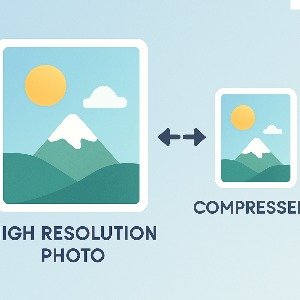
Our Compress Photo for Form Upload tool solves this problem instantly. It allows you to reduce image size while maintaining excellent clarity—perfect for government portals and exam websites. The compressor works with JPG, JPEG, and PNG formats and intelligently reduces file size by optimizing pixel density, removing unnecessary metadata, and applying high-efficiency compression.
This tool is ideal for applications such as:
Unlike conventional image compressors, this tool gives you control over the exact target KB so you can match the portal’s requirements precisely. For example, you can set the output to 20 KB, 40 KB, 50 KB, or 100 KB as needed. The final image remains clear and suitable for document verification.
Since many platforms also require specific pixel dimensions, our tool maintains the original width and height unless resized intentionally, ensuring compatibility with strict photo guidelines. Security is also prioritized—your images are processed temporarily and are not stored or shared.
Whether you are preparing photos for exams, government IDs, or professional documents, this optimized compression tool helps you meet every requirement without stress. It’s fast, secure, and delivers high-quality results tailored for online uploads.