Resize Image in KB (Custom File Size)
Sometimes different websites want different file sizes and it gets confusing. One form says 30KB, another says 100KB, and then some want under 150KB but not too small. Instead of searching separate tools for each size, this page lets you set your own target KB and resize the image exactly the way you want.
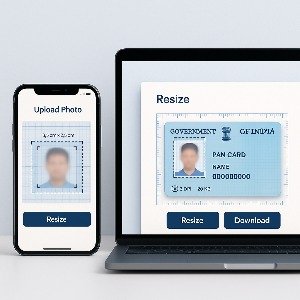
Just upload → enter size → adjust → download. Pretty simple.
With this tool, you can compress and resize your photo to any specific size in KB. No need to guess or keep uploading the wrong image until it finally gets accepted.
Just type how many KB you want (like 20KB, 40KB, 90KB, 150KB) and the tool will match it as close as possible. Works with:
- JPEG / JPG
- PNG
- WEBP
- Photos clicked on your mobile
- Scanned documents
And no watermark… obviously.
Why Resize in KB?
Many websites don’t allow large uploads because it slows things down or causes storage issues. Specially:
- Government and exam forms
- Resume submission portals
- University applications
- KYC documents
- Online ID verification
Instead of resizing 5–6 times, here you do it just once.
PDF Compression
You can use our document scanner and pdf compression tools present on Online CamScanner
Examples
- 2.8MB mobile photo → 120KB
- PNG with transparency → 80KB
- Signature scan (black & white) → 10–30KB
- Selfie for ID upload → 50KB or 100KB
Depending on the image, it may need a tiny quality reduction, but the preview helps you adjust before downloading.
Use Cases
Resize image for form submission Create small version for WhatsApp, email or upload Make signature scan small without blurring Compress passport size photo to exact limit Make image lightweight for website or blog If you're not sure what size you're supposed to upload, many forms mention it near the upload button.
FAQs
Can I set any value like 25.5KB?
We try to get as close as possible. Some images match exact value, some stay +/- few bytes.
Is conversion offline?
Yes, the compression happens in your browser. Nothing is stored on server.
Does PNG stay PNG?
Optional. You can keep original or convert to JPG if you want a smaller file.
Is it free forever?
Yep, no subscription or watermark. and unlimited downloads
Pro Tips
- Crop unnecessary space before resizing
- Use JPG instead of PNG for photos
- Reduce resolution only if needed
- If the image looks too soft, increase quality slider slightly
For official documents, make sure text and face are still readable.