UPSC Photo and Signature Size Converter
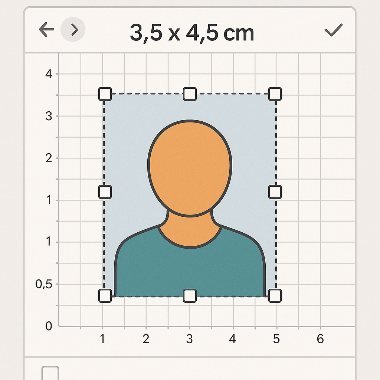
Quickly resize and crop your photo to official UPSC and common Indian exam dimensions. Choose a preset (for example 35×45 mm / 3.5×4.5 cm), auto-center the face, remove or replace the background, and download a compliant JPG or PNG. Always check the official UPSC notification for exact file-size and background color requirements.
Official Link: UPSC Instruction for Photo and Signature
About this UPSC Photo Tool
This online converter helps you prepare photos for UPSC exam applications and similar Indian government forms. Use the tool to:
- Select a preset size (print mm / cm or pixel dimensions)
- Auto-detect and center the face, then crop to the exact aspect ratio
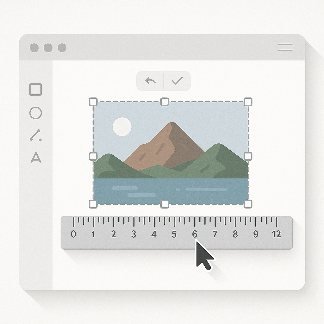
- Adjust the photo or signatre in center of given frame
- Adjust background brightness and contrast
- Download optimized JPG and choose a target file-size (100 KB) as per the official UPSC instructions.
Why use this?
Submitting the correct photo size and format prevents delays in application processing. This tool reduces guesswork by providing pixel-perfect output for common UPSC photo requirements.
Examples
Signature upload instructions:
- Sign on a clean white paper using a black pen.
- Scan your signature.
- Make sure the image is clear, well-lit, and without shadows.
- Save the signature file in jpg format with file name signature.
- Ensure the file size is within the specified limit
- Between 20KB to 100 KB and
- Between 350 pixels to 500 pixels
FAQs
What photo size does UPSC require for applications?
UPSC commonly asks for a passport-size photograph (often 35×45 mm or similar). However, exact dimensions, file size (KB) and background color are stated in each UPSC recruitment/notification - always verify the current notification before uploading.
Which file format should I use - JPG or PNG?
JPG is the most widely accepted format for photos and compresses well to stay under file-size limits. Use PNG only if the notification specifically requires it or you need transparency removed/replaced. For photos, JPG is recommended.
How can I make sure the file size is under the max KB?
Use the tool’s compression slider to reduce quality slightly while preserving visible detail, or select a smaller pixel dimension. Aim for the smallest file size that still preserves facial detail (usually 70–150 KB is acceptable unless the notification specifies otherwise).
Do I need a white background?
Many government forms request a plain white or light-coloured background. Check the UPSC notification. The tool includes a background-change option to convert to white or light blue if needed.