Reduce Photo Size for Online Application (Step by Step Guide)
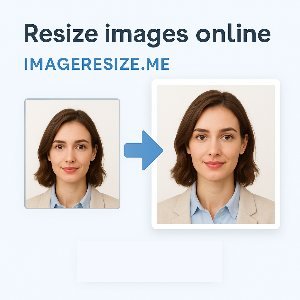
Almost every online application form now asks for a specific size photo. Sometimes they give exact dimensions like 200x200 px or 35mm by 45mm, and also a limit like under 100kb. If your photo doesn’t match, the site rejects it and you have to fix it again. So here you can resize, crop, and reduce your photo size properly before submitting your online form.
Different websites have different photo rules, so you must match both file size and dimensions. Doing this manually can get confusing, especially if you don't know editing tools. This tool makes it simple because you can set the size, crop the image and compress it all in one place.
How to Reduce Your Photo Size for Online Application
- Upload Your Photo – Select your image from phone or computer.
- Select Predefined Size (Optional) – If the form says something like 200x200 pixels, 50kb max, or 35mm x 45mm, choose that preset. If not, continue.
- Set Custom Width & Height – If the application gives specific dimensions, type them in. You can switch between px, cm, mm or inch.
- Adjust Photo in Crop Box – Move and zoom image so face fits properly. Try keeping good margins around head and shoulders.
- Select Max File Size – Many forms require under 20kb, 50kb or 100kb. Set the number based on requirement.
- Download the Final Image – Save the optimized photo and upload it to the form.
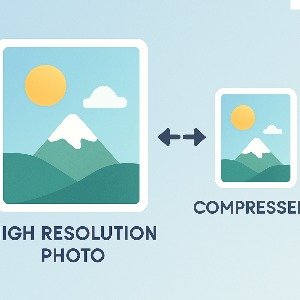
The idea is simple: resize first → crop → compress file size.
Examples
Common Application Photo Requirements
| Platform / Form | Size / Limit |
|---|
| College Admission Forms | 200x200 px - Under 100kb |
| Government Job Portals | 20kb - 80kb |
| Scholarship Portals | 150x200 px - Under 50kb |
| Private Job Websites | 300x300 px - Under 200kb |
| University Online Forms | 150kb max |
FAQs
Which format should I choose?
JPG is usually best for photos, as most forms accept it and it compresses well.
Do I need to remove background?
Some applications require plain background. You can edit or clean it if needed.
Pro Tips
Helpful Tips Before Uploading
- Check instructions twice — dimensions and file size both matter.
- Use good lighting and clear background.
- Don’t over compress — clarity is important.
- Keep original file safe so you can edit again if needed.