Prepare Government Application Photos Quickly
About This RTPS Photo Resize Tool
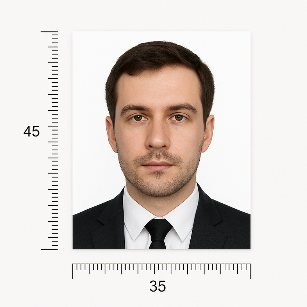
This RTPS Photo Resize tool allows you to upload any image and convert it into the correct size
required by RTPS and other state service portals. The tool supports JPG, JPEG, and PNG formats and
helps compress the image to the required KB size without losing clarity.
Adjust the Height width or select standard size as per RTPS photo size requirements.
How This Tool Works
- Upload your photo (JPG/PNG supported)
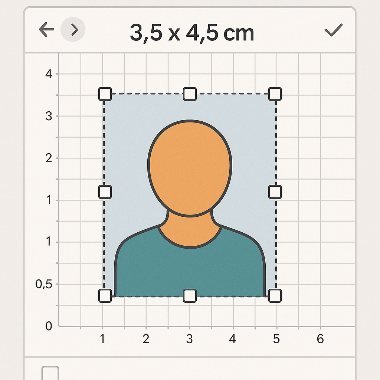
- Choose your required RTPS preset size
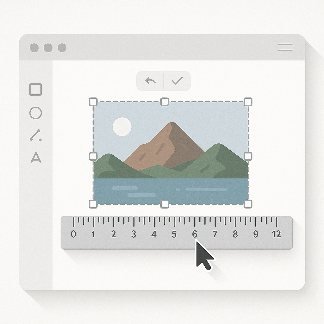
- Adjust crop area as needed
- Compress image size if required
- Download your RTPS-ready photo instantly
Examples
RTPS Photo Resize Online
The RTPS Photo Resize Online tool is designed for applicants who need accurate digital photos
for RTPS (Right to Public Service) applications, including caste certificates, income certificates,
residence certificates, and other state service documents.
Many state portals require specific image dimensions and maximum file sizes. This tool simplifies
that process by offering ready-made presets, auto-compression, cropping adjustments, and instant
downloading—all without requiring technical knowledge or additional software.
Whether you are applying through Bihar RTPS, e-District, or other state service portals, this
tool ensures your photograph meets all technical requirements, allowing smooth and error-free uploads.
FAQs
What photo format should I use for RTPS portals?
Most RTPS portals accept JPG/JPEG and PNG. JPG is preferred for smaller file sizes; use PNG only if the portal specifically asks for it or you need higher clarity.
What size should my RTPS photo be?
Common sizes include 160×200. Always check the specific portal's instructions for exact pixel dimensions and file-size limits.
How can I reduce my photo file size?
Use the quality/compression slider, choose JPG format, reduce dimensions slightly, or crop out excess background to lower KB size.
Do I need a specific background color?
Many portals request a plain light background (white or off-white). Follow the portal's guidance - if unspecified, a plain light background is safest.
Are uploaded images stored?
Images are processed temporarily to create the resized output and are not stored long-term. Consult the site's privacy policy for full details.
Pro Tips
Always check the downloaded photo before uploading to RTPS online application form.