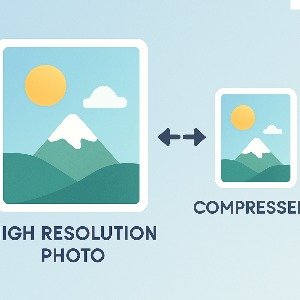
Reduce Signature Image Size to 50KB
Sometimes while filling exam or government forms, the website ask you to upload a signature under specific size like 20kb or 50kb. And if your scanned signature is too big, the form keeps rejecting it which is super frustrating. So here you can reduce your digital signature size to 50kb without losing too much clarity. It's simple and takes only few seconds.
Most exam forms like SSC, NEET, UPSC, banking and university admission forms have very strict rules about signature size. Usually they ask signature file less than 50kb and also proper dimensions. If you upload a bigger size file, they show error like "File size should not exceed 50kb".
Instead of trying complicated software or random apps, you can just upload your signature here and compress it directly to 50kb size. This tool works for JPG, JPEG and PNG scanned signatures.
How to Reduce Signature Size to 50KB
- Scan or click a photo of your handwritten signature
- Upload it using the button above
- Select max size 50kb
- Click Download
- Download the compressed file and use it in your form
That’s all. No watermark, no account required.
FAQs
Why signature photo becomes large?
If you scan with high resolution or use PNG with background, file size increases.
Will compression remove background?
No, it only reduces size. But you can use our background remover tool if needed.
Which format is best for signature?
Mostly JPG works best for small file size. Some portals accept PNG too.
Is it safe?
Yes, processing happens in browser itself. Nothing stored or uploaded to server.
Pro Tips
Best Tips for Signature Upload
- Use white or very light background while writing signature
- Use dark pen like black or dark blue
- Crop extra empty space before compressing
- Don't upload blurry or pixelated image
Follow these steps and your signature will be accepted without errors.